19 de marzo de 2026
Identity verification for 10DLC registration New customers will now be prompted to complete a quick identity verification step when registering for 10DLC. This is a one-time step per organization - once verified, all team members under that org are good to go.
Call forwarding You can now forward calls to another number directly from your workflow. A new Voice tab in your settings gives you control over call recording and forwarding options.
Merge calls Agents can now merge two active calls together mid-conversation - useful for bringing in a supervisor or connecting two parties.
Play media during calls A new "Play media" step lets you play hold music or audio clips during a call, with controls for when to resume the conversation.
New voice model: Gemini 3.1 Flash Lite Gemini 3.1 Flash Lite preview is now available as a voice model option when configuring your AI agents.
RCS carousels You can now build and send rich carousel messages over RCS directly from your workflows - great for product showcases or multi-option menus.
Replay past workflow executions Need to debug a workflow run? You can now replay any past execution directly from the execution details panel to see exactly what happened.
New AI model options Added GPT-5.4 and Grok 4-1-fast (xAI) as model choices for your AI agents.
More conversation filters The Conversations API now supports filtering by unread status, whether an assistant is enabled, and updated-before/after timestamps - making it easier to sync and triage at scale.
Improvements
Scheduled agents run on time. Previously, scheduled agents could fire within a 5-minute window. They now run at the exact scheduled time, and you can point them at different workflows as needed.
More control over agent context. Two new options: limit how far back in conversation history your agent looks, and choose whether call transcripts are included.
More reliable AI responses. Reduced cases where AI steps return responses in an unexpected format. All providers now enforce consistent structured output.
Faster inbox updates. Inbox should feel noticeably more responsive - conversation assignments and new messages now update in real time more reliably.
Simpler workflow variables. Passing data between steps in the workflow builder is now more streamlined.
Fixes
Fixed a bug where loading older messages in a thread could cause the view to jump or overlap.
Fixed an issue where some RCS carousels were not sending correctly.
Removed a file type check that was incorrectly rejecting CSV uploads.
20 de febrero de 2026
We’ve launched Clerk Chat MCP server. You can now use our features right in ChatGPT and Claude. The Clerk Chat MCP Server now supports OAuth 2.0 with PKCE for improved security. Documentation is available at https://docs.clerk.chat/integrations/mcp, and early access is available by contacting sales@clerk.chat.
Background & Thinking Noises for AI Agents
You can now configure background and thinking noises for AI agents directly in Inbox Voice Settings, including independent volume controls. Background noise plays continuously during a call, while thinking noise plays when the agent is generating a response.
Speak Tool (Deterministic Audio in Agent Flows)
The new Speak Tool allows you to play deterministic text or audio at any point in an agent flow. This ensures specific messages are delivered exactly as written when precision and consistency are required.
Voice Previews in Inbox Settings
You can now preview voices directly from Inbox Voice Settings before selecting or saving a model. Simply click the play button next to a voice to hear a sample instantly.
New Voice LLM Option: Claude Haiku 4.5
Anthropic Claude Haiku 4.5 is now available as a voice LLM option. This model offers fast, high-quality responses optimized for voice interactions.
Twilio Call Recording Support
Twilio is now supported as a provider for call recording. This enables more flexible voice and call recording workflows.
Language Selection in Call Tester
The Call Tester now supports language selection. This makes it easier to test and validate multilingual voice experiences.
Improved LLM Variable Support
LLM variables now work more reliably across objects and skills, including embedded objects. This improves flexibility when building dynamic agent logic.
30 de enero de 2026
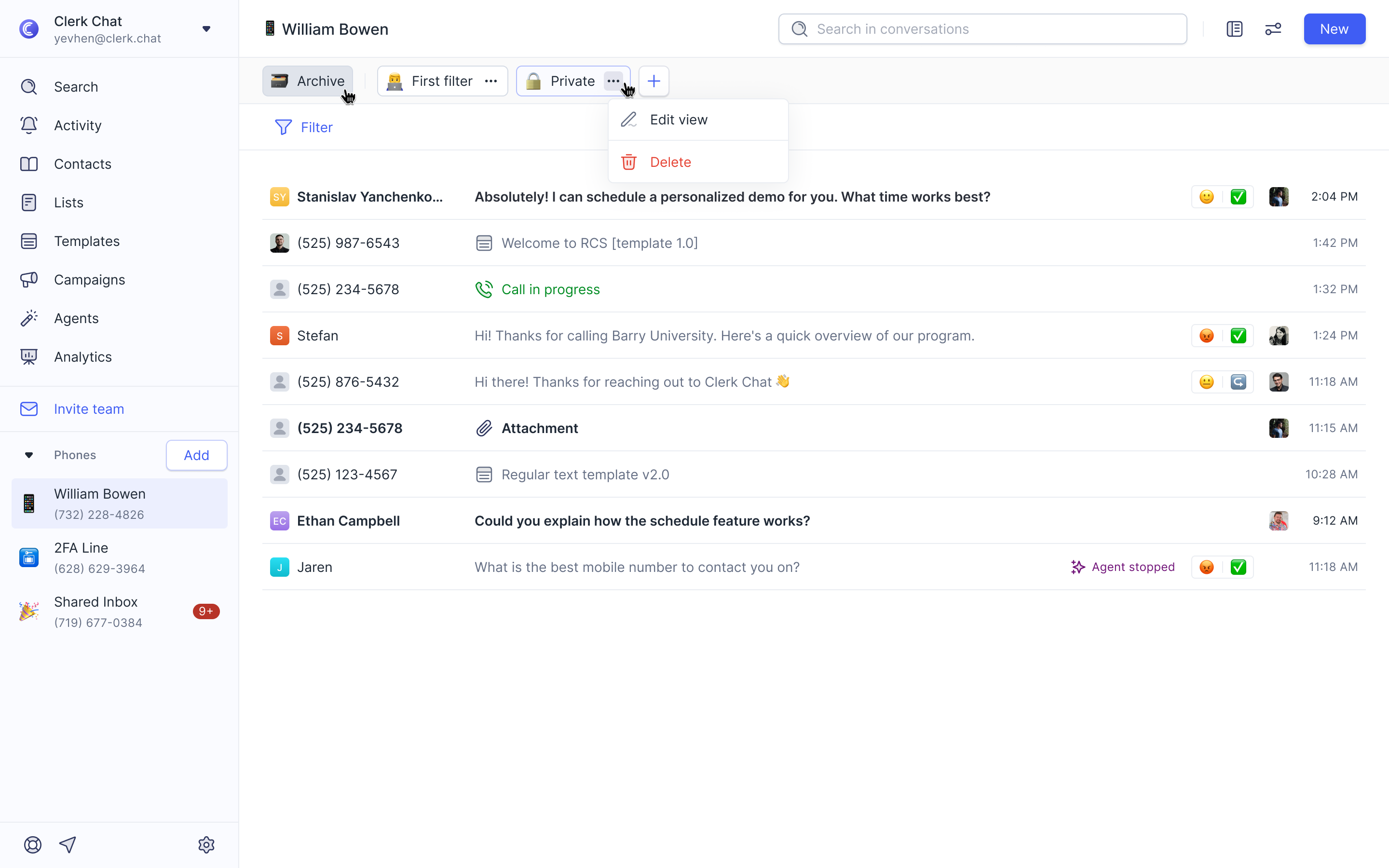
Introducing a completely new layout for viewing your conversations. This streamlined interface is optimized for managing large volumes of conversations, making it easier to navigate and review multiple chats at a glance.
RCS Test Phone Numbers
Added the ability to add RCS test phone numbers directly in the UI, simplifying the testing and development workflow for RCS messaging.

Anthropic Models in Text AI
You can now use Anthropic's AI models directly within Text AI, expanding your options for AI-powered text generation and analysis.
Bug Fixes
Fixed an issue where edge filters were not working correctly for user message nodes in the agent designer.
17 de enero de 2026
New
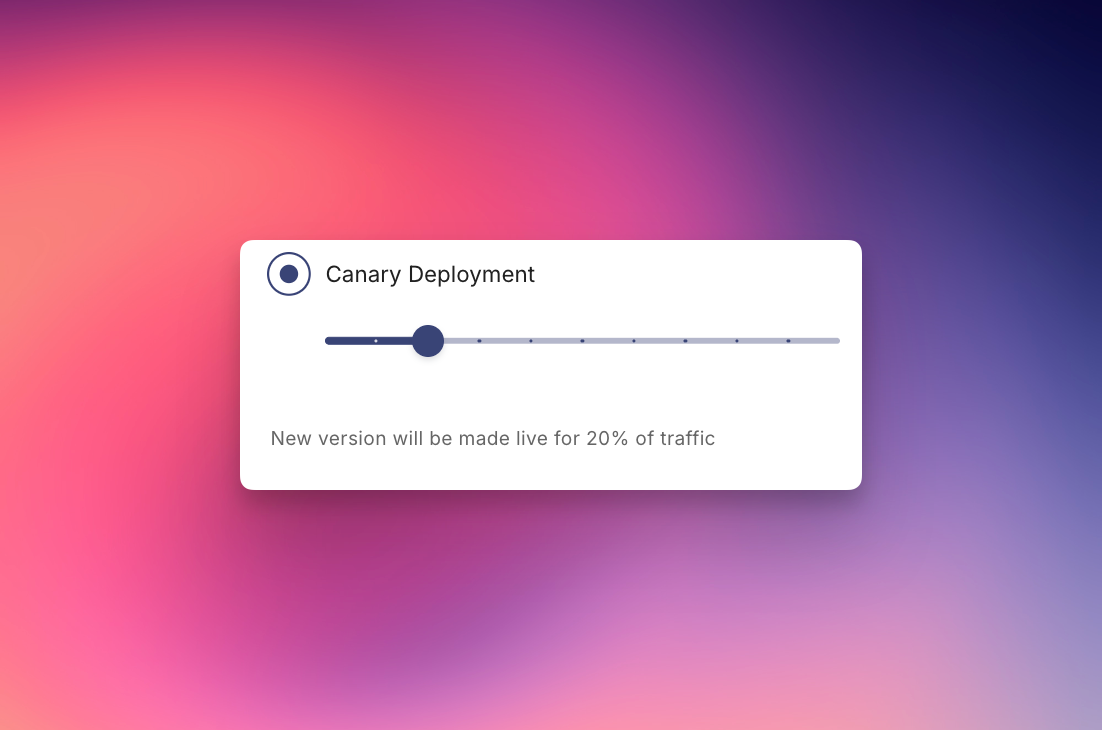
You can now choose how you want to roll out your agents with three deployment options:
Deploy for all users pushes your agent to 100% of traffic immediately—perfect for when you're ready to go fully live.
Staged Deployment lets you deploy to a specific phone number, so your agent only activates for calls or texts from that inbound number. Great for controlled testing with a specific audience.
Canary Deployment gives you a traffic percentage slider to gradually roll out your agent. Start at 10%, monitor performance, then scale up as you gain confidence.
16 de enero de 2026
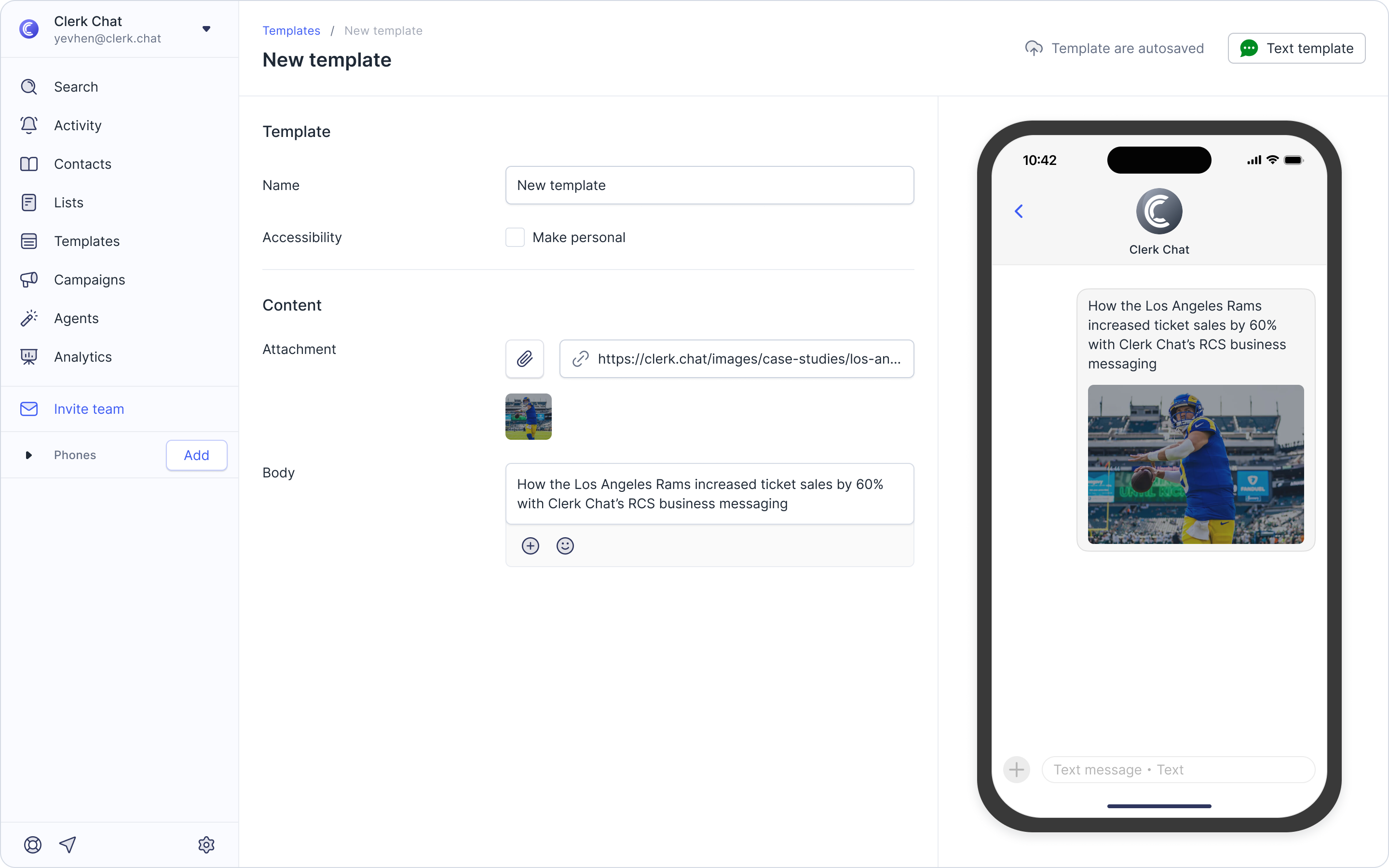
Include files directly in your saved text templates - think pricing sheets, lookbooks, welcome guides, claim forms, diagrams, and more!
Access the feature by clicking Templates in the sidebar and selecting +Add Template (top right). Choose Text Template and give it a name.
What’s New: In the Content section, click the paperclip icon to upload a file from your device.
7 de enero de 2026
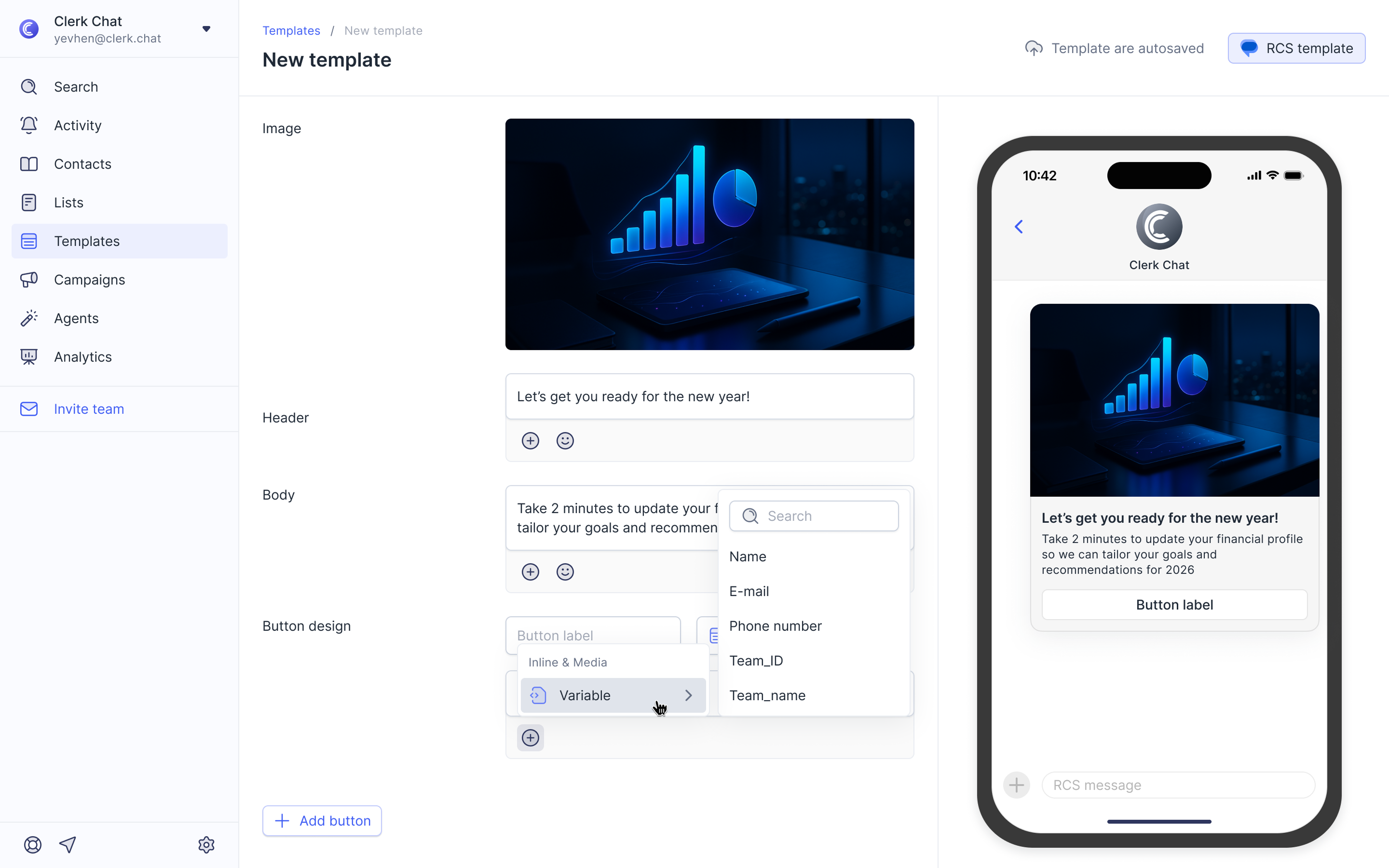
While you could already personalize headings and body text, this update allows you to insert dynamic data into button actions, such as "Open URL" or "Dial Phone Number."
Why would I use this feature? To completely personalize your campaigns. For example, an "Open URL" button can now point to a unique, personalized link for every recipient, making it easier to direct customers to their specific account pages, tracking links, or custom booking sites.
7 de enero de 2026
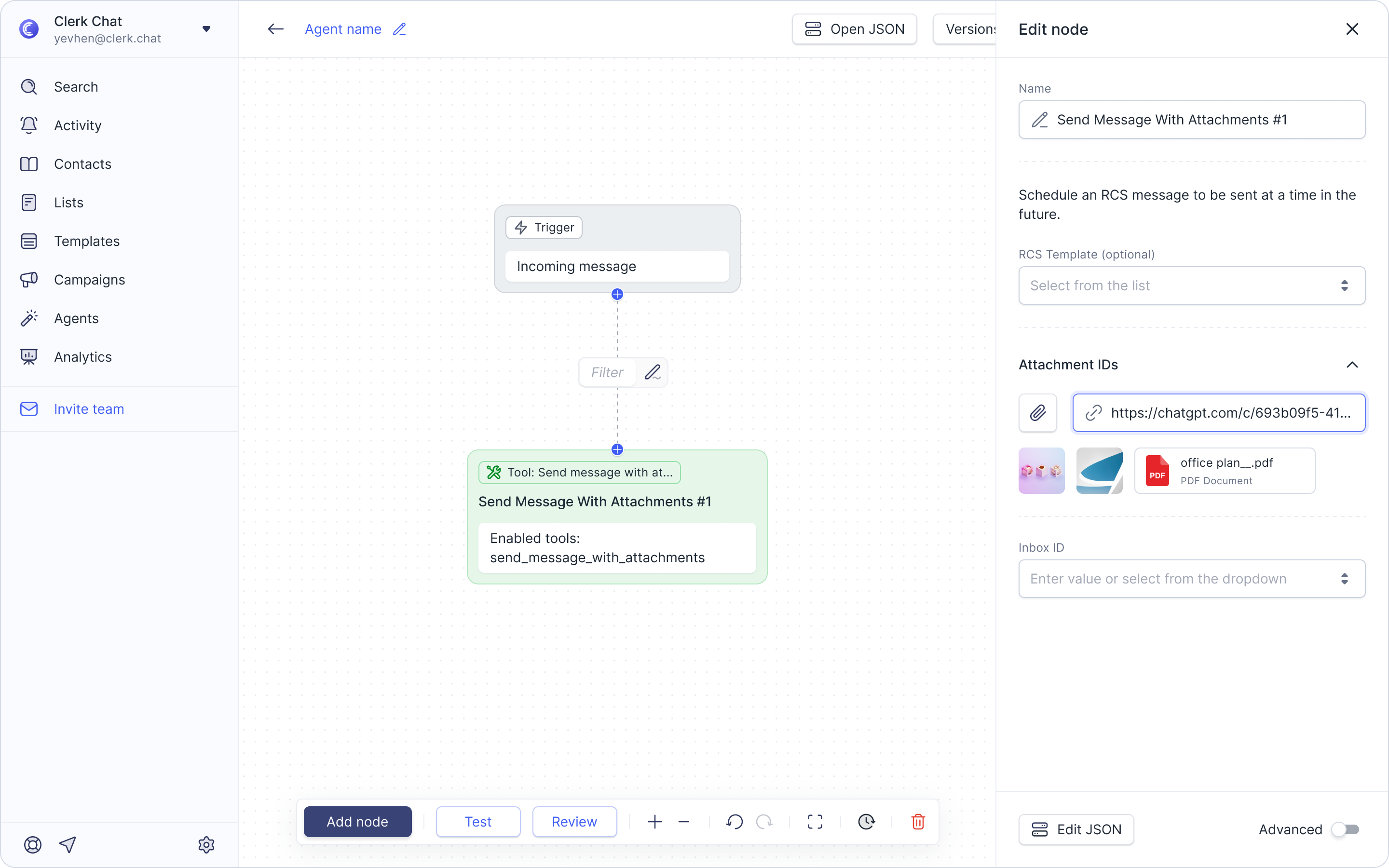
We’ve expanded the communication capabilities of your AI agents! Previously, agents were limited to sending text-only messages. With this update, you can now direct your agents to send messages with attachments, allowing them to automatically share PDFs, csv files, images, videos, and other important items during a conversation.
How to set it up:
While in the AI Agent Builder, add a new node or click the pencil icon to edit an existing one.
Under the Tools section, click Add Tools.
Select Conversations and choose Send message with attachments.
Don't forget to save your work!
7 de enero de 2026
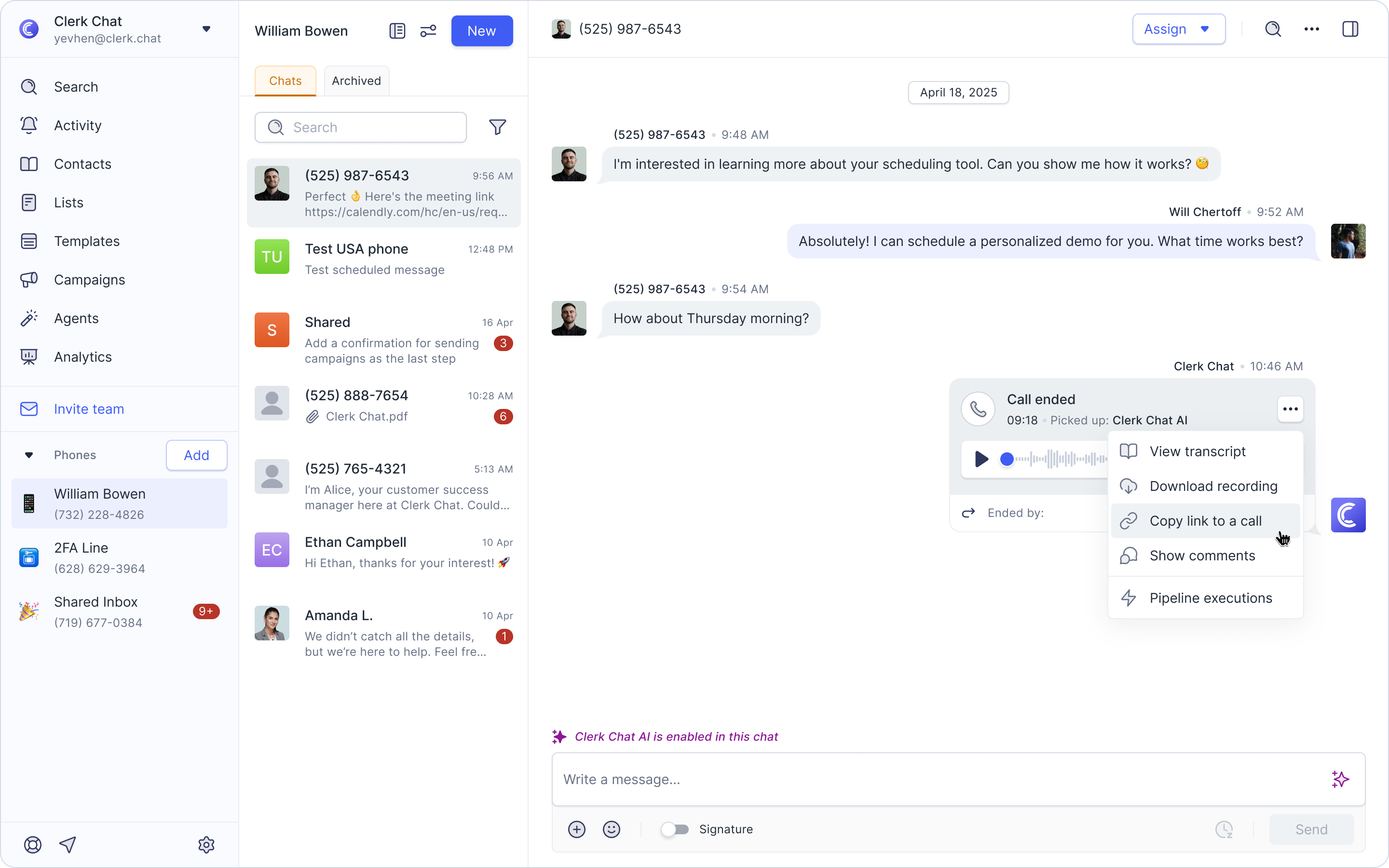
When viewing a conversation that includes a voice interaction, you can now click the three dots on any call recording to access a suite of powerful tools which include viewing a transcript, copying a call link, showing the internal discussion thread, and viewing pipeline logs of how the AI processed that specific call.
7 de enero de 2026
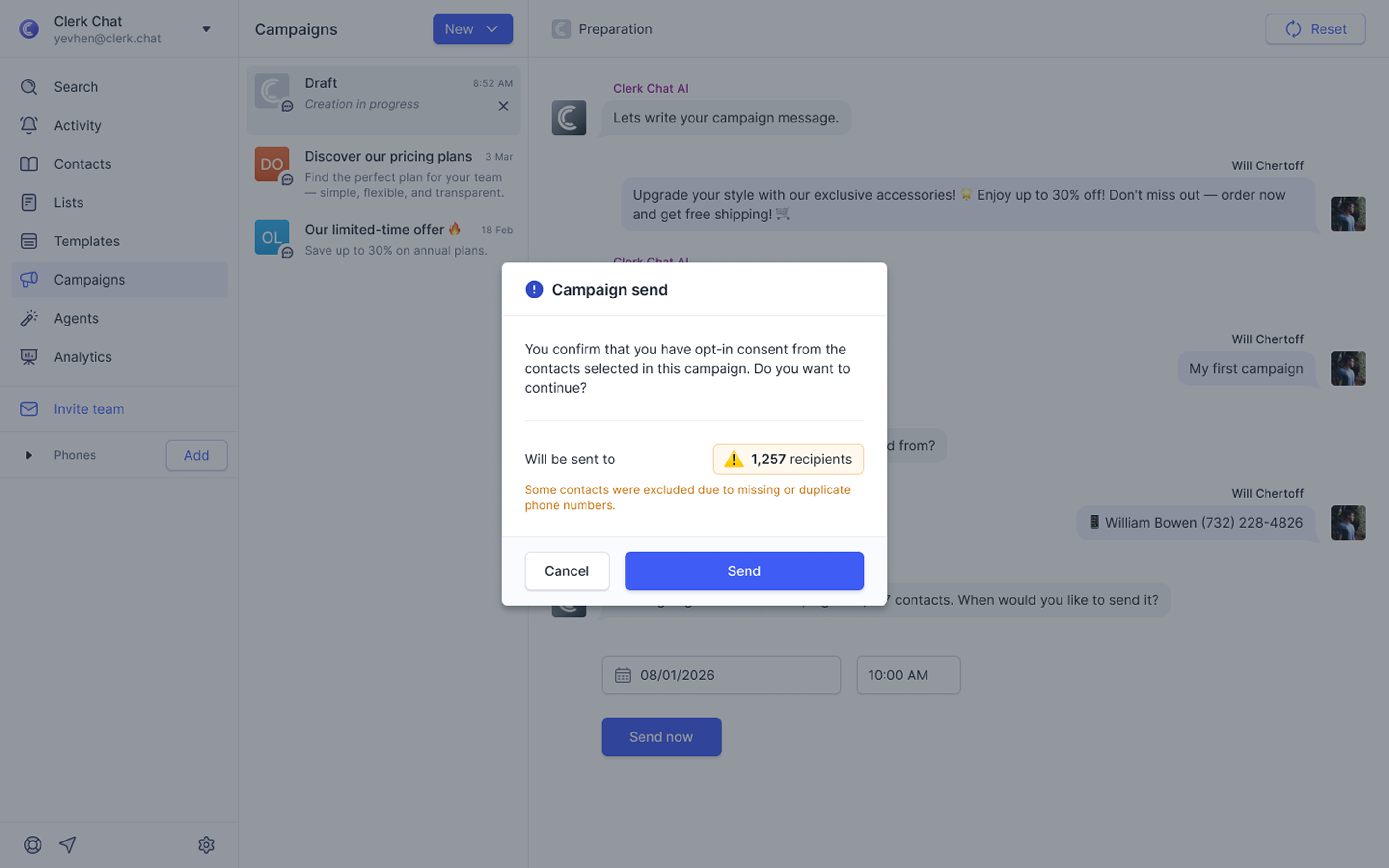
We’ve added an extra layer of protection to your campaign workflow to help prevent accidental sends and ensure carrier compliance.
Now, when you finish setting up your campaign, selecting your list, writing your message, and choosing a send time, you’ll encounter a final confirmation after clicking "Send Now."
What’s new in this confirmation?
Acknowledge Opt-in: A reminder to confirm that you have obtained proper consent from all contacts in your campaign, helping you stay compliant with messaging regulations.
Highlighted Recipient Count: The pop-up clearly highlights exactly how many recipients will receive your message, giving you one last chance to verify your list size before it goes out.
This update is designed to give you total peace of mind that your messages are going to the right people, at the right time, with the right permissions.
1 de diciembre de 2025
Tag colleagues in discussions: Use the @ sign within any message or call discussion thread (accessible by clicking the "show comments" icon) to tag a colleague, provided they have access to that phone number inbox.

Custom compliance per phone number: Create default START, STOP, HELP, and first messages individually for each phone number inbox. This allows you to customize the automated responses customers receive (for example, after replying STOP), ensuring your team meets regulations. Find these settings within the phone number inbox settings.
